
Interactive Calculators for Marketing Funnels
Digital marketing lives and dies on one simple metric: how many of the people you pay to reach actually turn into leads and customers.
You can write better ads, tighten your targeting and redesign your landing pages. But at some point, every visitor asks the same questions in their head:
“Is this worth it for my situation? What will it cost? What could I gain?”
If the page doesn’t answer those questions quickly, the click you paid for just turns into another bounce.
Interactive calculators solve this problem in a very direct way. Instead of making visitors scroll through endless copy, you let them plug their own numbers into a small widget and see a personalized result: a price estimate, a projected ROI, a recommended plan. That result feels relevant, memorable – and it gives you a perfect moment to ask for their contact details.
Below is a look at how calculators fit into a modern performance funnel, followed by a comparison of three tools you can use to build them: stepFORM, CALCONIC and uCalc.
Where Calculators Fit in a Marketing Funnel
For a performance-oriented agency, calculators are most powerful in three places.
On PPC landing pages. When someone arrives from Google Ads or social ads, they’re already motivated. A calculator that lets them estimate cost or value right away dramatically reduces the “I’ll think about it later” reflex. For example, a “Google Ads ROI calculator” or “lead cost estimator” can turn curiosity into a real conversation.
Inside SEO content. Evergreen guides and comparison posts attract a lot of top-of-funnel traffic. Embedding a calculator – even a simple one – gives that traffic a conversion path without needing a separate landing page. Think of “How much can SEO reduce your cost per acquisition?” with a slider-based calculator right in the article.
In remarketing and email campaigns. Retargeting ads can send warmed-up users to interactive calculators instead of standard forms. Email sequences do the same: “Run your numbers” is a more compelling call to action than “Contact us.” When people see their own data reflected in results, they’re more willing to fill in the last fields and hit submit.
The good news: you don’t need a dev team on standby to build these experiences. Let’s break down three no-code platforms that fit particularly well into a digital marketing workflow.
How to Design a Calculator That Actually Supports the Funnel
An interactive calculator should not be added to a page just because it looks modern. It needs a clear job inside the funnel. Before choosing a tool, decide what business question the calculator should answer for the visitor and what marketing question it should answer for your team.
For the visitor, the calculator should remove uncertainty. Someone who lands on a service page may not be ready to book a call, but they may be willing to estimate a budget, compare options or check whether a solution makes sense for their situation. A calculator gives them a low-pressure way to interact with the offer before speaking to sales.
For the marketing team, the calculator should create useful context. A generic contact form may only collect a name, email and message. A calculator can capture much richer information: estimated monthly budget, company size, number of leads needed, current conversion rate, target revenue, industry, preferred service package or expected project scope. This makes the next sales conversation much more specific.
The best calculator ideas usually come from repeated customer questions. If prospects often ask “How much will this cost?”, build a pricing estimator. If they ask “Is PPC worth it for my business?”, build an ROI calculator. If they ask “Which package do I need?”, create a recommendation calculator that points users toward the most suitable option. The goal is not to replace human consultation, but to make the first step easier and more informative.
A good funnel calculator also needs a balanced structure. If it asks too many questions too early, users may abandon it. If it asks too few, the result feels generic. In most cases, start with 3–6 simple inputs, show a useful result, and then invite the visitor to submit contact details to receive a more detailed version, a PDF summary or a personalized recommendation.
The placement matters as much as the logic. On a PPC landing page, the calculator should appear close to the main offer, not buried at the bottom. In an SEO article, it can be placed after the section where the user already understands the problem. On a service page, it can work well after the benefits section, when the visitor is ready to evaluate the practical value of the service.
Finally, treat the calculator as a campaign asset, not a one-time widget. Track starts, completions, form submissions and follow-up conversions. If many people start but do not finish, the calculator may be too long or unclear. If many people complete it but do not submit their contact details, the result may be useful enough but the lead offer may be weak. Small changes in labels, button text, input order or result explanation can make a noticeable difference.
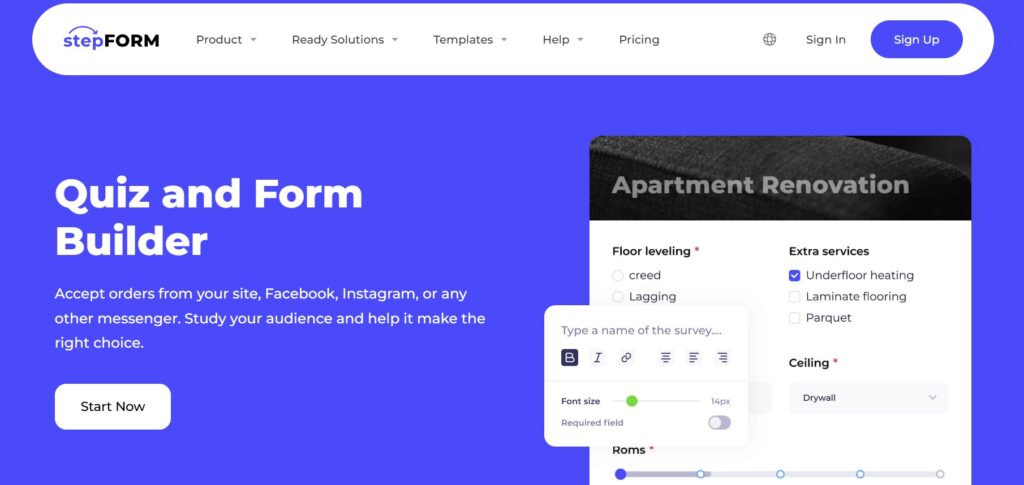
stepFORM is a builder for forms, quizzes and surveys that was designed from the start with marketing in mind. You work in a visual, step-by-step editor, combining up to 18 different field types into flows that feel more like conversations than static forms.
For an agency, the key strengths are:
- Multi-step experiences. stepFORM shines when you want to break a complex intake into several screens: a quick quiz about marketing goals, a short calculator for expected budget, then a final step with contact details. This structure keeps engagement high because users never face a long wall of fields.
- Built-in calculations. The platform supports automated cost calculations for products and services, so you can build price estimators and commercial offers directly into your forms.
- Channel flexibility. stepFORM forms can be used not just on websites but also through social networks and messengers like Facebook and Instagram, which matches how many agencies actually run their campaigns.
Because everything is configured visually, marketers can launch new quizzes, surveys and calculators without waiting on development. stepFORM is a good fit when you want one tool to cover most front-end lead capture: from “What kind of campaign do you need?” quizzes to simple “Calculate your package cost” widgets.
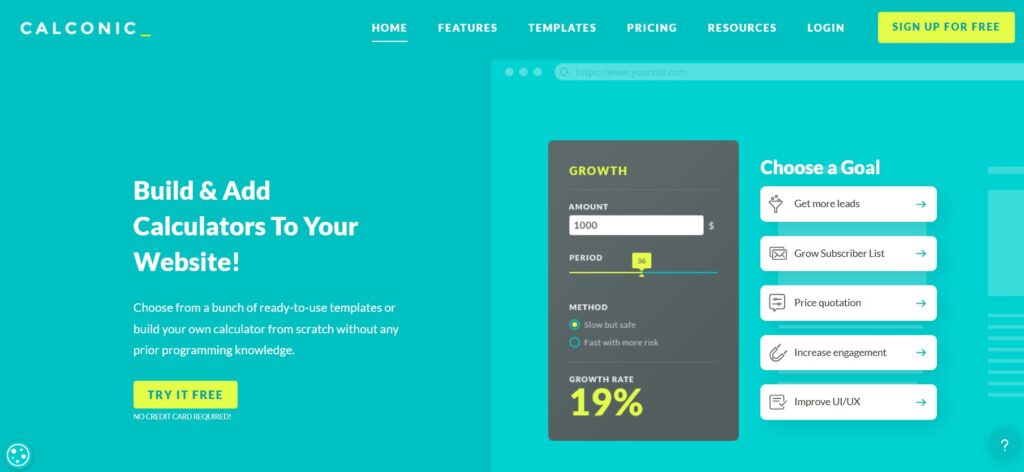
CALCONIC is an interactive calculator builder that focuses specifically on calculators rather than general forms. You choose a template – pricing quotes, ROI, savings, e-commerce product pricing and more – or start from scratch, then configure inputs and formulas in a drag-and-drop editor.
For performance campaigns, CALCONIC works best when you need:
- Clear, focused widgets on product or service pages: for example, a “Campaign budget vs expected clicks” calculator or a “Discount & bundle savings” tool on an e-commerce site.
- Fast deployment on many platforms. It’s easy to embed calculators as inline widgets or pop-ups on landing pages, blogs and product pages, including stores built on Shopify and other CMSs.
- E-commerce integration. In some setups, CALCONIC calculators can push custom prices into a cart, which is powerful for variable-price products or service packages built from options.
CALCONIC is especially attractive when you’re running campaigns for clients with strong commercial intent: think SaaS pricing, subscription boxes or any offer where visitors constantly ask “How much will this be for my usage?”

uCalc is a universal builder of calculators and forms that aims to cover almost any industry use case. You create calculators through a visual interface, using sliders, number inputs, checkboxes, dropdowns and more, then assign formulas that define how results are calculated.
What makes uCalc particularly useful to a marketing agency is how it combines calculation, lead capture and payment in one place:
- The same widget can compute a price or ROI and collect a lead, so visitors never have to jump from calculator to separate form.
- It supports payment options directly inside the calculator, including PayPal and other gateways, turning estimators into lightweight checkout flows for fixed-price services or small products.
- The platform offers ready-made solutions for business quizzes, financial calculators, feedback forms and payment widgets that you can adapt for campaigns.
From an implementation point of view, uCalc is straightforward: once a calculator is created, you paste a universal embed code into any page builder or CMS and the widget becomes part of the layout. Guides and plugins exist for popular platforms, making it easy for agencies to standardize on uCalc across multiple client stacks.
In a lead-gen context, uCalc is a great choice for campaign pages where you want clear numbers and a clean handoff to sales: PPC budget estimators, “How many leads can you get for X?” calculators, or fixed-scope service packages that can be paid for on the spot.
Practical Calculator Ideas for Different Marketing Goals
For lead generation, the most useful calculator is often a simple qualification tool. A marketing agency can ask about monthly ad budget, average order value, current conversion rate and target number of leads. The result can show whether the visitor’s goals are realistic and what kind of campaign structure may be needed. This gives the agency a warmer lead than a standard contact form.
For SaaS companies, calculators can focus on savings, productivity or ROI. Instead of saying that a platform “saves time,” the calculator can ask how many employees use a process, how many hours are spent per week and what the average hourly cost is. The result turns a vague benefit into a number the visitor can understand.
For e-commerce brands, calculators can support product selection. A store can use a calculator to recommend a bundle, estimate subscription savings or help users choose a package based on usage. This is especially useful when the product has multiple options and the visitor may hesitate because the choice feels too complex.
For local service businesses, calculators can create an immediate bridge between curiosity and inquiry. A cleaning company, repair service, consultant or contractor can estimate a starting price based on scope, location, urgency and service type. Even if the final price requires manual confirmation, the calculator helps the visitor understand the range before contacting the business.
In all these cases, the calculator works best when the result is followed by a clear next step. That could be “send me my estimate,” “book a review call,” “get a detailed proposal,” or “compare recommended options.” The result should not be a dead end. It should move the visitor naturally to the next stage of the funnel.
Matching the Tool to the Campaign
All three platforms can build calculators that help convert traffic into leads. The choice comes down to what kind of experience you’re trying to design.
stepFORM is the best fit when the calculator is part of a broader survey-style or quiz-style journey. If the campaign needs several steps, conditional questions and a conversational structure, stepFORM gives marketers room to build a more guided experience.
CALCONIC works best when the calculator itself is the core asset. It is a strong option for pricing widgets, ROI estimators, savings calculators and product configuration scenarios where the visitor mainly wants a quick, clear number.
uCalc is the most flexible option when you want a calculator that also works as a lead form or a lightweight payment flow. It is especially useful for service businesses, performance landing pages and fixed-scope offers where the visitor can calculate a price and immediately take the next step.
For a digital marketing agency in Phoenix or anywhere else, calculators are not just a UX gimmick. They are a way to make every click work harder. A good calculator helps visitors understand value faster, gives the business better lead data, and creates a more natural reason for people to continue the conversation.
The best approach is to start with one high-impact use case. Choose a landing page, service page or article that already receives traffic, then add a calculator that answers a question visitors are already asking. Track how people use it, improve the wording and logic, and then repeat the pattern across other campaigns. That is how a small interactive element can become a reliable part of the entire acquisition system.