Interactive Calculators for Marketing Funnels
Digital marketing lives and dies on one simple metric: how many of the people you pay to reach actually turn into leads and customers.
You can write better ads, tighten your targeting and redesign your landing pages. But at some point, every visitor asks the same questions in their head:
“Is this worth it for my situation? What will it cost? What could I gain?”
If the page doesn’t answer those questions quickly, the click you paid for just turns into another bounce.
Interactive calculators solve this problem in a very direct way. Instead of making visitors scroll through endless copy, you let them plug their own numbers into a small widget and see a personalized result: a price estimate, a projected ROI, a recommended plan. That result feels relevant, memorable – and it gives you a perfect moment to ask for their contact details.
Below is a look at how calculators fit into a modern performance funnel, followed by a comparison of three tools you can use to build them: stepFORM, CALCONIC and uCalc.
Where Calculators Fit in a Marketing Funnel
For a performance-oriented agency, calculators are most powerful in three places.
On PPC landing pages. When someone arrives from Google Ads or social ads, they’re already motivated. A calculator that lets them estimate cost or value right away dramatically reduces the “I’ll think about it later” reflex. For example, a “Google Ads ROI calculator” or “lead cost estimator” can turn curiosity into a real conversation.
Inside SEO content. Evergreen guides and comparison posts attract a lot of top-of-funnel traffic. Embedding a calculator – even a simple one – gives that traffic a conversion path without needing a separate landing page. Think of “How much can SEO reduce your cost per acquisition?” with a slider-based calculator right in the article.
In remarketing and email campaigns. Retargeting ads can send warmed-up users to interactive calculators instead of standard forms. Email sequences do the same: “Run your numbers” is a more compelling call to action than “Contact us.” When people see their own data reflected in results, they’re more willing to fill in the last fields and hit submit.
The good news: you don’t need a dev team on standby to build these experiences. Let’s break down three no-code platforms that fit particularly well into a digital marketing workflow.

stepFORM is a builder for forms, quizzes and surveys that was designed from the start with marketing in mind. You work in a visual, step-by-step editor, combining up to 18 different field types into flows that feel more like conversations than static forms.
For an agency, the key strengths are:
- Multi-step experiences. stepFORM shines when you want to break a complex intake into several screens: a quick quiz about marketing goals, a short calculator for expected budget, then a final step with contact details. This structure keeps engagement high because users never face a long wall of fields.
- Built-in calculations. The platform supports automated cost calculations for products and services, so you can build price estimators and commercial offers directly into your forms.
- Channel flexibility. stepFORM forms can be used not just on websites but also through social networks and messengers like Facebook and Instagram, which matches how many agencies actually run their campaigns.
Because everything is configured visually, marketers can launch new quizzes, surveys and calculators without waiting on development. stepFORM is a good fit when you want one tool to cover most front-end lead capture: from “What kind of campaign do you need?” quizzes to simple “Calculate your package cost” widgets.
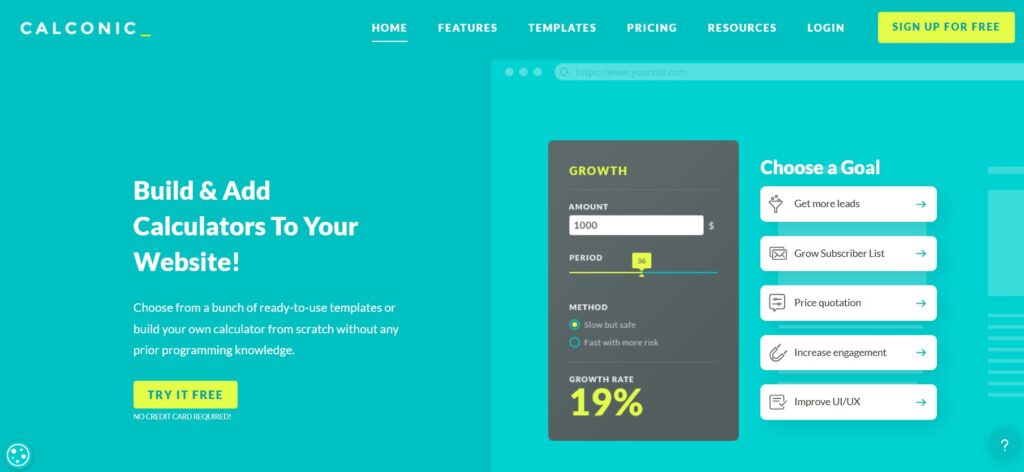
CALCONIC is an interactive calculator builder that focuses specifically on calculators rather than general forms. You choose a template – pricing quotes, ROI, savings, e-commerce product pricing and more – or start from scratch, then configure inputs and formulas in a drag-and-drop editor.
For performance campaigns, CALCONIC works best when you need:
- Clear, focused widgets on product or service pages: for example, a “Campaign budget vs expected clicks” calculator or a “Discount & bundle savings” tool on an e-commerce site.
- Fast deployment on many platforms. It’s easy to embed calculators as inline widgets or pop-ups on landing pages, blogs and product pages, including stores built on Shopify and other CMSs.
- E-commerce integration. In some setups, CALCONIC calculators can push custom prices into a cart, which is powerful for variable-price products or service packages built from options.
CALCONIC is especially attractive when you’re running campaigns for clients with strong commercial intent: think SaaS pricing, subscription boxes or any offer where visitors constantly ask “How much will this be for my usage?”

uCalc is a universal builder of calculators and forms that aims to cover almost any industry use case. You create calculators through a visual interface, using sliders, number inputs, checkboxes, dropdowns and more, then assign formulas that define how results are calculated.
What makes uCalc particularly useful to a marketing agency is how it combines calculation, lead capture and payment in one place:
- The same widget can compute a price or ROI and collect a lead, so visitors never have to jump from calculator to separate form.
- It supports payment options directly inside the calculator, including PayPal and other gateways, turning estimators into lightweight checkout flows for fixed-price services or small products.
- The platform offers ready-made solutions for business quizzes, financial calculators, feedback forms and payment widgets that you can adapt for campaigns.
From an implementation point of view, uCalc is straightforward: once a calculator is created, you paste a universal embed code into any page builder or CMS and the widget becomes part of the layout. Guides and plugins exist for popular platforms, making it easy for agencies to standardize on uCalc across multiple client stacks.
In a lead-gen context, uCalc is a great choice for campaign pages where you want clear numbers and a clean handoff to sales: PPC budget estimators, “How many leads can you get for X?” calculators, or fixed-scope service packages that can be paid for on the spot.
Matching the Tool to the Campaign
All three platforms can build calculators that help convert traffic into leads. The choice comes down to what kind of experience you’re trying to design:
- stepFORM is your best option for survey-style flows and quizzes where questions, logic and calculations are woven into a multi-step experience across web, social and messengers.
- CALCONIC is ideal for sharp, focused pricing and ROI widgets that sit on product pages, pricing sections and e-commerce stores and answer “how much?” instantly.
- uCalc is the flexible workhorse when you want calculators that double as forms and, when needed, as mini checkouts – perfect for performance landing pages and fixed-price offers.
For a digital marketing agency in Phoenix (or anywhere else), calculators are not just a UX gimmick. They are a way to make every click work harder: turning paid and organic traffic into people who have already seen the value, run their own numbers and are now ready to talk.
Start with one: a simple uCalc or CALCONIC estimator on your highest-traffic landing page, or a stepFORM quiz in your next social campaign. Watch how visitors interact with it, refine the logic and messaging, and then replicate the winning pattern across other channels. That’s how a small widget becomes a reliable lever in your entire acquisition strategy.